





REST API penetration testing is complex due to continuous changes in existing APIs and newly added APIs. Astra can be used by security engineers or developers as an integral part of their process, so they can detect and patch vulnerabilities early during development cycle. Astra can automatically detect and test login & logout (Authentication API), so it's easy for anyone to integrate this into CICD pipeline. Astra can take API collection as an input so this can also be used for testing apis in standalone mode.
- SQL injection
- Cross site scripting
- Information Leakage
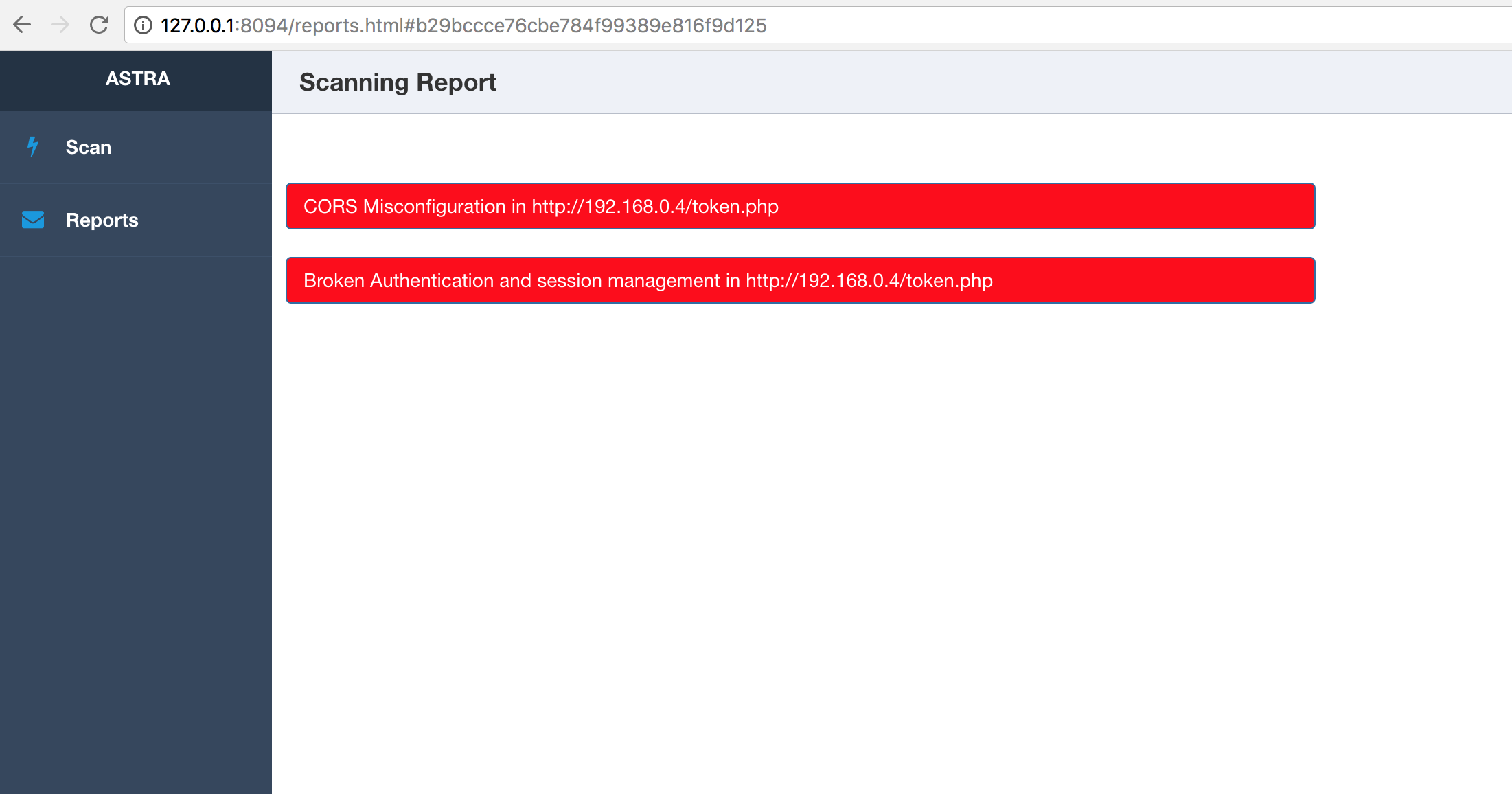
- Broken Authentication and session management
- CSRF (including Blind CSRF)
- Rate limit
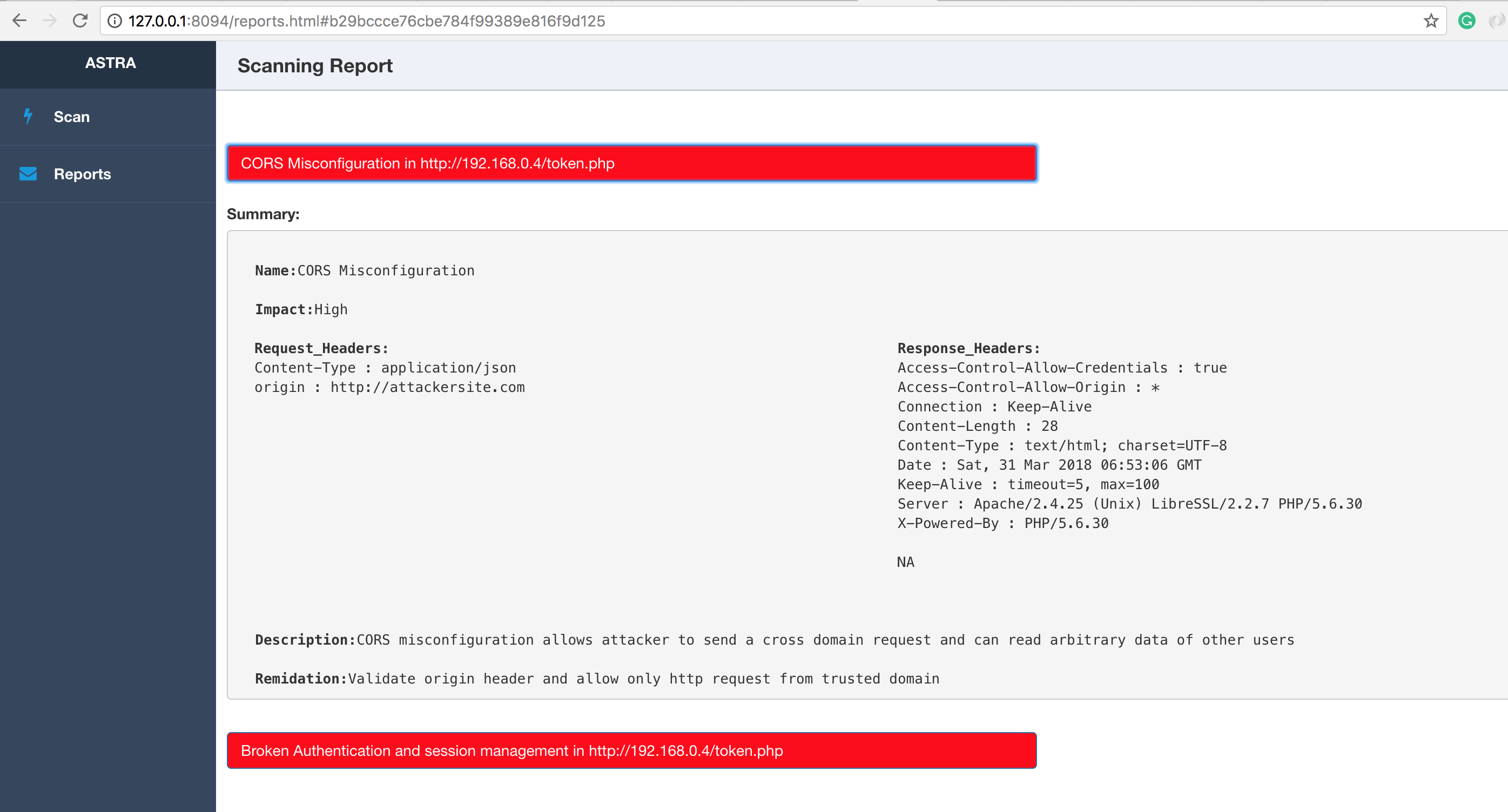
- CORS misconfiguration (including CORS bypass techniques)
- JWT attack
- CRLF detection
- Blind XXE injection
- Server-side Requrest Forgery
- Template Injection
https://www.astra-security.info/roadmap/
- Linux or MacOS
- Python 3.7+
- mongoDB
- Celery
- RabbitMQ
$ git clone https://github.com/flipkart-incubator/Astra

$ cd Astra
$ sudo pip install -r requirements.txt
$ sudo rabbitmq-server
$ celery -A worker -loglevel=INFO
$ cd API
$ python3 api.py
$ docker pull mongo
$ docker run --name astra-mongo -d mongo
$ git clone https://github.com/flipkart-incubator/Astra.git
$ cd Astra
$ docker build -t astra .
$ docker run --rm -it --link astra-mongo:mongo -p 8094:8094 astra
$ git clone -b docker-cli https://github.com/flipkart-incubator/Astra.git
$ cd Astra
$ docker build -t astra-cli .
$ docker run --rm -it --link astra-mongo:mongo astra-cli
- requests
- logger
- pymongo
- ConfigParser
- pyjwt
- flask
- sqlmap
- celery
https://www.astra-security.info
$ python astra.py --help

                      _
        /\       | |
       /  \   ___| |_ _ __ __ _
      / /\ \ / __| __| '__/ _` |
     / ____ \__ \ |_| | | (_| |
    /_/    \_\___/\__|_|  \__,_|


usage: astra.py [-h] [-c {Postman,Swagger}] [-n COLLECTION_NAME] [-u URL]
                [-headers HEADERS] [-method {GET,POST}] [-b BODY]
                [-l LOGINURL] [-H LOGINHEADERS] [-d LOGINDATA]

REST API Security testing Framework

optional arguments:
  -h, --help            show this help message and exit
  -c {Postman,Swagger}, --collection_type {Postman,Swagger}
                        Type of API collection
  -n COLLECTION_NAME, --collection_name COLLECTION_NAME
                        Type of API collection
  -u URL, --url URL     URL of target API
  -headers HEADERS, --headers HEADERS
                        Custom headers.Example: {"token" : "123"}
  -method {GET,POST}, --method {GET,POST}
                        HTTP request method
  -b BODY, --body BODY  Request body of API
  -l LOGINURL, --loginurl LOGINURL
                        URL of login API
  -H LOGINHEADERS, --loginheaders LOGINHEADERS
                        Headers should be in a dictionary format. Example:
                        {"accesstoken" : "axzvbqdadf"}
  -d LOGINDATA, --logindata LOGINDATA
                        login data of API
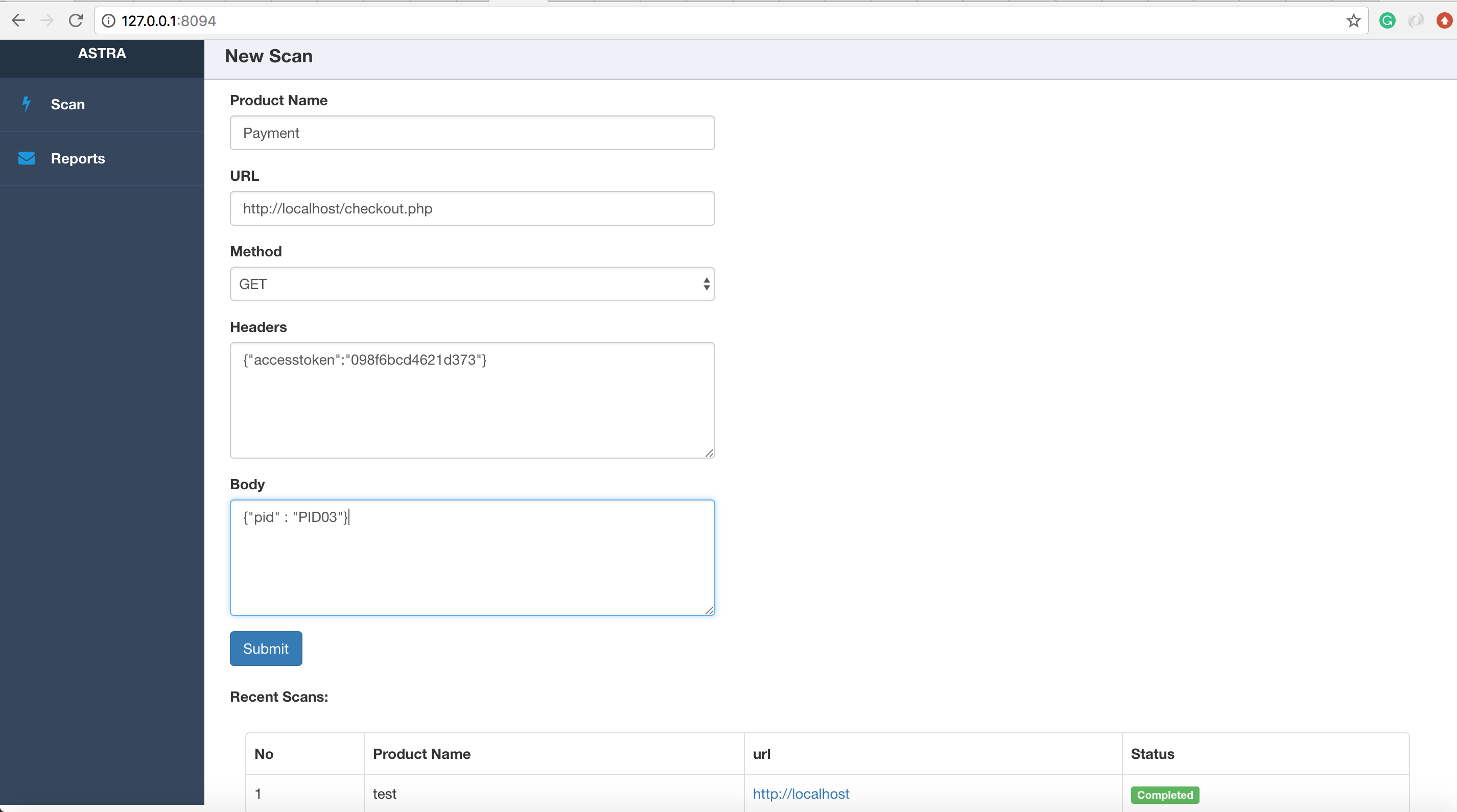
Run the api.py and access the web interface at http://127.0.0.1:8094
$ cd API
$ python api.py
NOTE:
On macOS 10.13+ you must use the flag OBJC_DISABLE_INITIALIZE_FORK_SAFETY=YES to prevent scanning processes from being killed due to the way fork() and exec() has been changed. See here for more information.
$ cd API
$ OBJC_DISABLE_INITIALIZE_FORK_SAFETY=YES python api.py

- Sagar Popat (@popat_sagar)
- Ankur Bhargava
- Harsh Grover
- Flipkart security team
- Pardeep Battu
- Rajasekar