
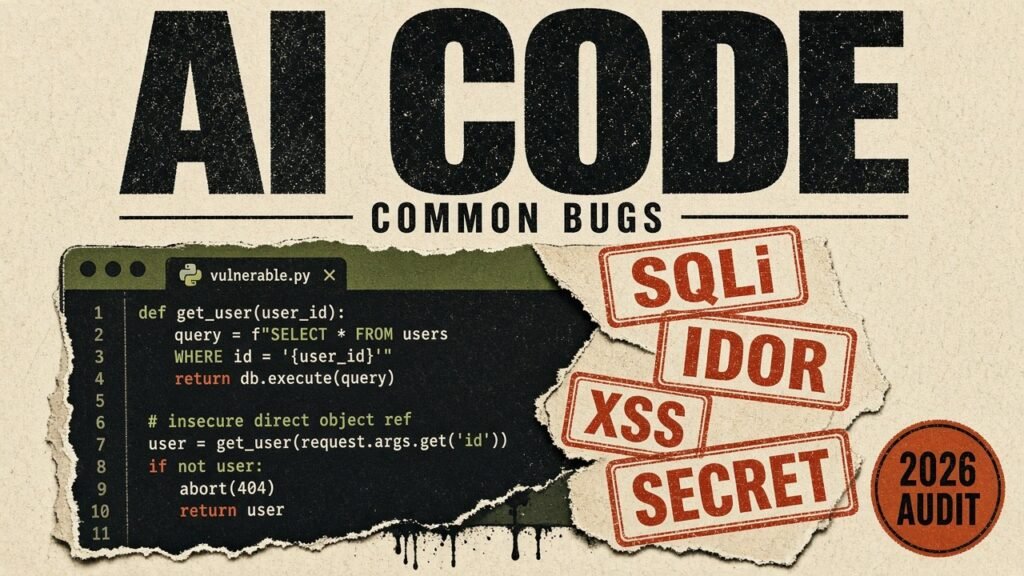
Saturday I had the assistant vibe-code ScanBoard, a small UI for scan results. Semgrep, gitleaks, nuclei, a Burp pass if I felt like it. Search the findings. Open one by id. Read an artifact. Pull a remote tool report. Login, because I told it the board was multi-user.
It looked done before dinner. Sunday I read the helpers the way I would read someone else's bounty target. The AI-generated code that was supposed to show security bugs had a pile of its own.
What matters
- The page rendered. Search, the file read, login, and the dependency list were still wrong.
- ScanBoard shipped classic AI-generated code security bugs: f-string SQL, a finding fetch with no owner check, a hardcoded token, MD5 passwords, a path escape, an HTML echo, an open URL fetch, and a package name that was not on PyPI.
- What actually helped: bind the SQL, check who owns the id, get secrets out of the file, encode HTML, jail the path, allowlist the URL, then confirm every new dependency exists on the real registry.
Critical first, then high, then medium, then low. Supply chain is at the top because that is what I miss when I only hunt injection.
| Sev | What fails | What it looks like | Why the assistant ships it |
|---|---|---|---|
| C | Hallucinated packages (slopsquatting) | import aws-helper-sdk / invented PyPI/npm names | Model invents a package name. Someone registers it before you do. |
| C | Unverified AI-suggested dependencies | pip/npm install whatever the chat named | I paste the install line and never open the project page. |
| C | f-string / concat SQL | execute(f"… LIKE '%{q}%'") | Dynamic filters still come out as string glue |
| C | Command injection via shell helpers | os.system / subprocess shell=True | AI reaches for shell when a library call would do |
| C | SSTI from dynamic templates | render_template_string(user_html) | Flexible page feature becomes RCE-class risk |
| C | Insecure deserialization | pickle.loads / yaml.load on uploads | Save the object the short way, and pickle or yaml.load is what comes back. |
| C | Path traversal on file/artifact reads | open(os.path.join(base, user_path)) | Default upload/download helpers trust ../ |
| C | SSRF from URL preview / fetch helpers | requests.get(user_url) with no allowlist | I keep missing this until a preview or webhook helper shows up. |
| C | XSS with no output encoding | Echoes request data into HTML/markdown | It cannot tell if that string is still user input by the time it hits HTML. |
| C | Placeholder secrets that ship | SECRET_KEY = "sk_live_…" / admin123 | Demo values look real enough to commit |
| H | Outdated / vulnerable components | Ancient versions from training cutoff | The suggestion is old enough to have a CVE, and it still installs. |
| H | Unpinned or floating versions | package>=1 / latest tags in AI snippets | Lockfile never created; next install can swap the payload |
| H | Risky install / postinstall hooks | New deps with preinstall scripts | The new package runs a script on install. I did not read it. |
| H | Typosquat-adjacent suggestions | Names one char off real libs | Looks legitimate in a diff; resolves to the wrong publisher |
| H | Hardcoded JWT / API tokens | jwt.encode(…, "my-secret-key") | Works in the demo, forge-any-user in prod |
| H | get_by_id with no ownership check | SELECT … WHERE id=? then return it | Prompt asked for CRUD, not authz |
| H | Auth middleware assumed, never wired | Routes work anonymously in the scaffold | "Add auth later" that never lands |
| H | DEBUG / verbose mode left on | app.run(debug=True) / Django DEBUG | Scaffold defaults that never flip for prod |
| H | MD5 / SHA1 "just hash the password" | hashlib.md5(password.encode()) | Prompt said hash; model picks the shortest one |
| H | Happy-path business logic only | Refunds, coupons, quotas, races | Implements the demo story, not the abuse cases |
| M | Log injection | logger.info(f"user={username}") | Logging looks harmless, so the raw username or query goes straight in. |
| M | No CSRF on cookie-auth forms | State-changing POST with session cookie only | Cookie login, then a POST with no token. Easy to skip. |
| M | CORS wide open | Access-Control-Allow-Origin: * | AI "makes the frontend work" by disabling origin checks |
| M | Client-only validation / mass assignment | Checks in UI; user.update(**request.json) | Server trusts role/is_admin fields from the client |
| M | Sibling endpoints left insecure | One route fixed, the next still concats | AI patches the file you pointed at, not the copies |
| L | Security headers never set | No CSP, no frame denial, default server banner | The scaffold runs. Headers are not the feature, so they never show up. |
Why AI-generated code keeps failing review
The model is trying to finish the prompt. "Search findings" becomes an f-string because that reads like the sentence I typed. "Open finding by id" becomes a SELECT with a placeholder and no idea who is allowed to see it. "Fetch the tool report" becomes requests.get(url). Nobody asked it who owns the row, so it did not invent an owner check.
On these helpers the burn was HTML. The title is still the user's string when it lands in the page. Logs are the same miss on a later prompt, when the raw query gets printed because logging feels harmless. SQL has been a bit cleaner lately. I still read every dynamic filter. Say "hash the password" and you can get MD5. That was the short answer, so that is what came back.
This is not just my weekend luck. Veracode's GenAI Code Security research keeps landing near the same number: only about half of AI code-generation tasks produce secure code when you leave security out of the prompt. Roughly 45% introduce a known flaw class such as SQL injection, XSS, log injection, or weak crypto. Newer models write code that compiles more often. The security pass rate has stayed stubbornly flat.
How ScanBoard maps to OWASP Top 10 2025
If you are hunting by framework, start with the current OWASP Top 10 2025. Supply chain is a first-class category now, which matches how vibe coding actually fails: injection in the helpers, then fake packages in the requirements file.
Not a full audit. Just where the weekend helpers landed against the current Top 10, including the new supply-chain category.
| OWASP 2025 | What showed up | Status |
|---|---|---|
| A01 Broken Access Control | IDOR on get_finding; open SSRF fetch; path escape | Hit |
| A02 Security Misconfiguration | Missing security headers on the scaffold | Common on vibe apps |
| A03 Software Supply Chain Failures | Two hallucinated pip names; unpinned deps | Hit (reqs file) |
| A04 Cryptographic Failures | MD5 password hash; hardcoded SECRET_KEY | Hit |
| A05 Injection | f-string SQL; XSS title echo | Hit |
| A07 Authentication Failures | admin123 + shared board token | Hit |
The weekend build - ScanBoard
The prompt was dull on purpose: search findings, open one by id, log in, read scan artifacts, fetch a remote report. What came back looked like normal Python. I pointed it at SQLite and kept going on the UI. These are the helpers from that pass, unchanged except for file names.
Finding 1 - SQL injection in finding search (CWE-89)
Search was an f-string. It reads like English, which is why it keeps showing up in AI-generated code. Funny place for it: the box that filters security findings.
SQL injection in findings search (CWE-89)
import sqlite3


def search_findings(db_path: str, q: str):
    conn = sqlite3.connect(db_path)
    sql = (
        f"SELECT id, project, title, severity, tool "
        f"FROM findings WHERE title LIKE '%{q}%' OR raw LIKE '%{q}%'"
    )
    rows = conn.execute(sql).fetchall()
    conn.close()
    return rows
Evidence search_findings(db, "%' OR '1'='1") returned every finding row, including other projects.
A normal title returned one row. %' OR '1'='1 returned every finding, other projects included. The fix is a bound parameter. I still had to write that myself.
sql = "SELECT id, project, title, severity, tool FROM findings WHERE title LIKE ?"
rows = conn.execute(sql, (f"%{q}%",)).fetchall()
Finding 2 - IDOR on finding detail (CWE-639)
The id lookup is parameterized. That part is fine. The function does not take a user, and it does not check a session. Whoever can call it gets the row, raw column included. Client-only auth checks are the same miss on BaaS-style scaffolds - the UI hides the button, the API still returns the row.
Broken access control on /findings/{id} (CWE-639)
def get_finding(db_path: str, finding_id: int):
    conn = sqlite3.connect(db_path)
    row = conn.execute(
        "SELECT id, project, title, severity, owner, raw FROM findings WHERE id=?",
        (finding_id,),
    ).fetchone()
    conn.close()
    return row
Evidence get_finding(3) returned the row with no session and no owner check.
I called get_finding(3) with no session. The row came back. Once that function is a route, another analyst's id comes back the same way. Longer version of the test is in the IDOR hunting playbook.
Finding 3 - hardcoded secret + MD5 passwords (CWE-798, CWE-327)
Hardcoded board token and MD5 password hashing (CWE-798 / CWE-327)
import hashlib
import sqlite3

SECRET_KEY = "sk_live_51HxYzScanBoardProdKey"
ADMIN_PASSWORD = "admin123"


def hash_password(password: str) -> str:
    return hashlib.md5(password.encode()).hexdigest()


def login(db_path: str, username: str, password: str):
    ph = hash_password(password)
    conn = sqlite3.connect(db_path)
    row = conn.execute(
        f"SELECT id, username, role FROM users "
        f"WHERE username='{username}' AND password_hash='{ph}'"
    ).fetchone()
    conn.close()
    if not row:
        return None
    return {"token": SECRET_KEY, "user": row}


def get_finding(db_path: str, finding_id: int):
    conn = sqlite3.connect(db_path)
    row = conn.execute(
        "SELECT id, project, title, severity, owner, raw FROM findings WHERE id=?",
        (finding_id,),
    ).fetchone()
    conn.close()
    return row
Evidence Login returned the hardcoded SECRET_KEY as the session token. Password storage used hashlib.md5.
Login hands back SECRET_KEY as the token. That string lives in the file, next to ADMIN_PASSWORD = "admin123". Passwords go through hashlib.md5 because I said "hash the password" and did not name a KDF. The user lookup is another f-string, so the login query is injectable too. If you are hunting keys that actually work, the hygiene in Secrets That Pay is the one I use.
Finding 4 - path traversal, XSS, open fetch (CWE-22, CWE-79, CWE-918)
Unsafe artifact read, HTML title echo, open URL fetch (CWE-22 / CWE-79 / CWE-918)
import os

import requests


def read_artifact(base_dir: str, path: str) -> str:
    full = os.path.join(base_dir, path)
    with open(full, "r", encoding="utf-8") as handle:
        return handle.read()


def fetch_tool_report(url: str) -> str:
    response = requests.get(url, timeout=3)
    return response.text[:500]


def render_finding_title(title: str) -> str:
    return f"<html><body><h1>Finding: {title}</h1></body></html>"
Evidence read_artifact(artifacts, '../scanner.env') escaped the folder. render_finding_title echoed raw HTML. fetch_tool_report(url) had no host allowlist.
One file, three sinks. os.path.join plus ../scanner.env read a sibling file. The title helper dropped the string into an <h1> with no encoding. fetch_tool_report called requests.get on whatever URL I passed. That last one is the preview feature I keep accepting without an allowlist - I waved it through because the UI looked finished.
Finding 5 - hallucinated dependencies / slopsquatting (CWE-1357)
After the helpers "worked," I asked for an export bridge so ScanBoard could pretty-print Semgrep JSON and nuclei output. The assistant added two new package lines next to requests. Neither name was a real project.
Hallucinated PyPI packages in AI-suggested requirements
# AI-suggested extras for ScanBoard report export
requests>=2.28
scanboard-semgrep-bridge==0.3.1
nuclei-result-parser>=1.0
Evidence pip index versions returned no matching distribution for scanboard-semgrep-bridge or nuclei-result-parser. Both names were inventable on PyPI the next morning.
scanboard-semgrep-bridge and nuclei-result-parser looked like every other helper package name. Neither was on PyPI. That is slopsquatting bait: an attacker registers the invented name, waits for the next paste, and owns the install. I never ran pip install on either. The fix is boring and mandatory - open the registry page, confirm the publisher, pin what you keep, and refuse names the model invented. Full hygiene is in the supply chain playbook.
How I use the AI code checklist on a diff
I do not re-read the whole table every time. I start at the top of the diff: new imports, then requirements or package.json, then any string that looks like a key. After that I jump to SQL, HTML, open(, subprocess, and requests. If the assistant added a second copy of a route, I check that copy too. It often "fixes" the one I complained about and leaves the twin alone.
How I verify AI-generated code before merge
Scanners will not clear the PR for me. This is the short pass I still tick by hand when the diff came from an assistant.
Tick what you verified before merge. Same panel layout I use when tools dump findings into the dashboard and a human still has to clear the gate.
Fast greps I run on AI diffs before the heavier tools:
# fast local greps I run on AI diffs
rg -n "f[\"'].*(SELECT|INSERT|UPDATE|DELETE)|execute\(.*\+|cursor\.execute\(f"
rg -n "innerHTML|dangerouslySetInnerHTML|render_template_string"
rg -n "(api[_-]?key|secret|password|token)\s*=\s*[\"'][^\"']{8,}"
rg -n "hashlib\.(md5|sha1)\(|os\.path\.join\(.*request|requests\.(get|post)\(.*request"
rg -n "eval\(|exec\(|pickle\.loads|yaml\.load\("
How I review vibe-coded PRs now
I stopped asking "is this secure?" The answer is always yes. I also stopped trusting "production-ready" when the assistant says it. That label means the happy path runs, not that authz, encoding, or the registry check passed.
I ask where the request value goes, then I send one bad value at each sink: a quote in the search box, someone else's id, ../ in the file path, a link-local URL in the fetch helper. If those four behave, I read the new dependencies. If they do not, I am not done.
Tool arguments are the same shape of bug when the assistant wires MCP. I covered that in the MCP security testing playbook. Getting the checks into CI, not just into this post, is the laptop to production writeup.
Bottom line
I will keep using the assistant to scaffold. I will not merge AI-generated code until I have read the helpers and the dependency list. The checklist near the top is the pass. ScanBoard is what failed it.
FAQ
Is AI-generated code worse than code I would write?
Line by line, no. It just arrives faster than I review it. The misses I keep seeing are missing ownership checks, HTML and log echoes, placeholder secrets, and packages that do not exist until someone registers them.
What should I check first after a vibe-coding session?
The new imports and requirements, then every object id, then anything that hits SQL, HTML, the filesystem, or an outbound URL. If a secret is a string literal, stop and move it.
Do security prompts fix AI-generated code security issues?
Sometimes the next generation is cleaner. Sometimes the same prompt gives me a bound query, then an f-string ten minutes later. I still read the diff.
What about hallucinated packages and slopsquatting?
Ask for a helper and you can get a package name that is not on PyPI or npm. If you install it anyway, whoever registered that name owns your build. Confirm the project page, pin the version, run SCA, and prefer an SBOM on lockfile changes. More in the supply chain playbook.
Which scanners help on AI PRs?
Semgrep/CodeQL for injection taint, gitleaks or TruffleHog for secrets, SCA for deps. Then still manually probe IDOR - scanners miss a lot of missing ownership checks. See Secrets That Pay and the IDOR playbook.
Can I reuse the ScanBoard snippets?
Copy the checklist and pre-merge gate if you want. Leave the helpers alone - they are the failed versions on purpose.