






Features • Installation • Usage • Running naabu • Config • NMAP integration • CDN/WAF Exclusion • Discord
Naabu is a port scanning tool written in Go that allows you to enumerate valid ports for hosts in a fast and reliable manner. It is a really simple tool that does fast SYN/CONNECT/UDP scans on the host/list of hosts and lists all ports that return a reply.
- Fast And Simple SYN/CONNECT/UDP probe based scanning
- Optimized for ease of use and lightweight on resources
- DNS Port scan
- Automatic IP Deduplication for DNS port scan
- IPv4/IPv6 Port scan (experimental)
- Passive Port enumeration using Shodan Internetdb
- Host Discovery scan (experimental)
- NMAP integration for service discovery
- Custom UDP payloads for CONNECT scans
- Native UDP service probes powered by nmap-service-probes
- Multiple input support - STDIN/HOST/IP/CIDR/ASN
- Multiple output format support - JSON/TXT/STDOUT
naabu -hThis will display help for the tool. Here are all the switches it supports.
Usage:
  naabu [flags]

Flags:
INPUT:
   -host string[]              hosts to scan ports for (comma-separated)
   -list, -l string            list of hosts to scan ports (file)
   -exclude-hosts, -eh string  hosts to exclude from the scan (comma-separated)
   -exclude-file, -ef string   list of hosts to exclude from scan (file)

PORT:
   -port, -p string              ports to scan (80,443, 100-200)
   -top-ports, -tp string        top ports to scan (default 100) [full,100,1000]
   -exclude-ports, -ep string[]  ports to exclude from scan (file or comma-separated)
   -ports-file, -pf string[]     list of ports to scan (file or comma-separated)
   -port-threshold, -pts int     port threshold to skip port scan for the host
   -exclude-cdn, -ec             skip full port scans for CDN/WAF (only scan for port 80,443)
   -display-cdn, -cdn            display cdn in use

RATE-LIMIT:
   -c int                general internal worker threads (default 25)
   -rate int             packets to send per second (default 1000)
   -tw, -tx-workers int  parallel transmit workers for the fast SYN sender (default 1)

UPDATE:
   -up, -update                 update naabu to latest version
   -duc, -disable-update-check  disable automatic naabu update check

OUTPUT:
   -o, -output string                     file to write output to (optional)
   -lof, -list-output-fields              list of fields to output (comma separated)
   -eof, -exclude-output-fields string[]  exclude output fields output based on a condition
   -j, -json                              write output in JSON lines format
   -csv                                   write output in csv format
   -oX, -xml-output string                write nmap-compatible XML output to file (- for stdout)
   -oG, -grep-output string               write nmap-compatible greppable output to file (- for stdout)
   -oA, -output-all string                write json, xml and greppable output to <basename>.{json,xml,gnmap}

SERVICES-DISCOVERY:
   -sD, -service-discovery           identify services by port number
   -sV, -service-version             detect service versions using nmap-service-probes
   -sV-fast                          only probe port-hinted services (faster, skips fallback)
   -sV-timeout duration              timeout for service version probes (default 5s)
   -sV-workers int                   number of concurrent service version workers (default 25)
   -sV-probes string                 custom nmap-service-probes file path (auto-detected from local nmap install if empty)
   -uP, -udp-probes                  send protocol-specific payloads on UDP scans using nmap-service-probes

CONFIGURATION:
   -config string                   path to the naabu configuration file (default $HOME/.config/naabu/config.yaml)
   -scan-all-ips, -sa               scan all the IP's associated with DNS record
   -ip-version, -iv string[]        ip version to scan of hostname (4,6) - (default 4,6) (default ["4","6"])
   -scan-type, -s string            type of port scan (SYN/CONNECT) (default "c")
   -source-ip string                source ip and port (x.x.x.x:yyy - might not work on OSX)
   -cp, -connect-payload string    payload to send in CONNECT scans (optional)
   -interface-list, -il             list available interfaces and public ip
   -interface, -i string            network Interface to use for port scan
   -nmap                            invoke nmap scan on targets (nmap must be installed) - Deprecated
   -nmap-cli string                 nmap command to run on found results (example: -nmap-cli 'nmap -sV')
   -r string                        list of custom resolver dns resolution (comma separated or from file)
   -proxy string                    socks5 proxy (ip[:port] / fqdn[:port]
   -proxy-auth string               socks5 proxy authentication (username:password)
   -dns-order string                dns resolution order (p/l/lp/pl) (default "l")
   -sr, -system-resolver            use system DNS as fallback resolver
   -resume                          resume scan using resume.cfg
   -stream                          stream mode (disables resume, nmap, verify, retries, shuffling, etc)
   -passive                         display passive open ports using shodan internetdb api (automatically enables stream mode)
   -irt, -input-read-timeout value  timeout on input read (default 3m0s)
   -no-stdin                        Disable Stdin processing

HOST-DISCOVERY:
   -sn, -host-discovery           Perform Only Host Discovery
   -show-dead                     show hosts that did not respond to host discovery (requires host discovery)
   -Pn, -skip-host-discovery      Skip Host discovery (Deprecated: use -wn/-with-host-discovery instead)
   -wn, -with-host-discovery      Enable Host discovery
   -ps, -probe-tcp-syn string[]   TCP SYN Ping (host discovery needs to be enabled)
   -pa, -probe-tcp-ack string[]   TCP ACK Ping (host discovery needs to be enabled)
   -pe, -probe-icmp-echo          ICMP echo request Ping (host discovery needs to be enabled)
   -pp, -probe-icmp-timestamp     ICMP timestamp request Ping (host discovery needs to be enabled)
   -pm, -probe-icmp-address-mask  ICMP address mask request Ping (host discovery needs to be enabled)
   -arp, -arp-ping                ARP ping (host discovery needs to be enabled)
   -nd, -nd-ping                  IPv6 Neighbor Discovery (host discovery needs to be enabled)
   -rev-ptr                       Reverse PTR lookup for input ips

OPTIMIZATION:
   -retries int                    number of retries for the port scan (default 3)
   -timeout value                  time to wait before timing out (e.g. 500ms, 2s; a bare number is milliseconds) (default 1s)
   -warm-up-time int               time in seconds between scan phases (default 2)
   -T, -timing int                 timing template, higher is faster (0-5) (default 3)
   -ping                           ping probes for verification of host
   -verify                         validate the ports again with TCP verification
   -ss, -smart-scan                predictive port scanning using port correlation model (not compatible with stream mode)
   -pt, -prediction-threshold int  minimum confidence for port predictions (0-100%) (default 20)
   -npp, -no-port-priority         disable tiered port ordering (scan the whole range in one uniform random order)
   -shard string                   distributed scan slice as index/total, 1-based (e.g. 1/4)
   -seed int                       seed for scan randomization, must match across shards (default random)

DEBUG:
   -health-check, -hc        run diagnostic check up
   -debug                    display debugging information
   -verbose, -v              display verbose output
   -no-color, -nc            disable colors in CLI output
   -silent                   display only results in output
   -version                  display version of naabu
   -stats                    display stats of the running scan (deprecated)
   -si, -stats-interval int  number of seconds to wait between showing a statistics update (deprecated) (default 5)
   -mp, -metrics-port int    port to expose naabu metrics on (default 63636)

CLOUD:
   -auth                           configure projectdiscovery cloud (pdcp) api key (default true)
   -ac, -auth-config string        configure projectdiscovery cloud (pdcp) api key credential file
   -pd, -dashboard                 upload / view output in projectdiscovery cloud (pdcp) UI dashboard
   -tid, -team-id string           upload asset results to given team id (optional)
   -aid, -asset-id string          upload new assets to existing asset id (optional)
   -aname, -asset-name string      assets group name to set (optional)
-pdu, -dashboard-upload string upload naabu output file (jsonl) in projectdiscovery cloud (pdcp) UI dashboardDownload the ready to run binary / docker or install with GO
On musl-based distributions such as Alpine, use the linux_<arch>_musl release archive.
Note: before installing naabu, make sure to install
libpcaplibrary for packet capturing.
To install libpcap on Linux: sudo apt install -y libpcap-dev, on Alpine: apk add libpcap, on Mac: brew install libpcap, on Windows: install Npcap
go install -v github.com/projectdiscovery/naabu/v2/cmd/naabu@latestTo run the tool on a target, just use the following command.
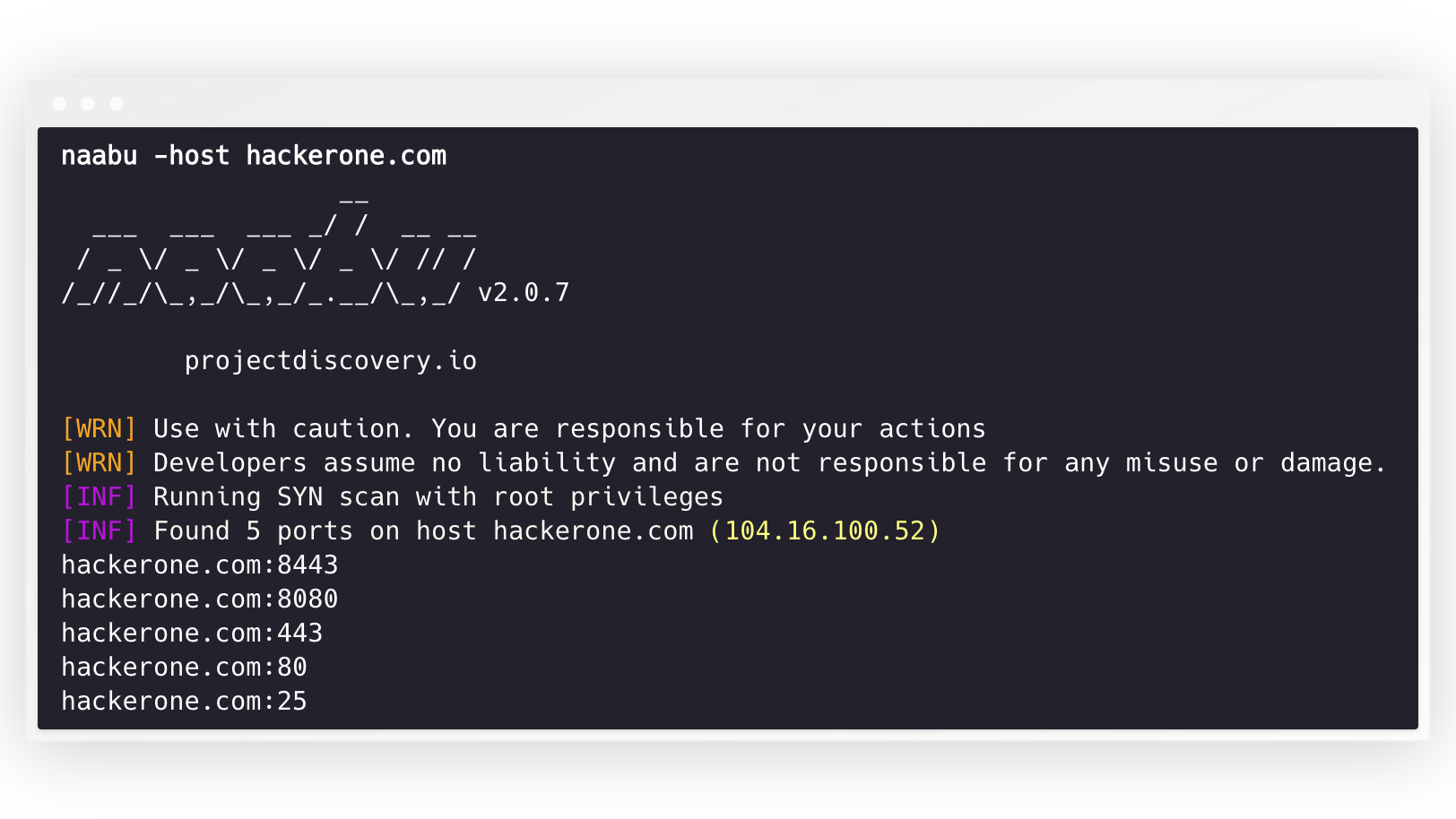
naabu -host hackerone.comThis will run the tool against hackerone.com. There are a number of configuration options that you can pass along with this command. The verbose switch -v can be used to display verbose information.
naabu -host hackerone.com

                  __
  ___  ___  ___ _/ /  __ __
 / _ \/ _ \/ _ \/ _ \/ // /
/_//_/\_,_/\_,_/_.__/\_,_/ v2.0.3

    projectdiscovery.io

[WRN] Use with caution. You are responsible for your actions
[WRN] Developers assume no liability and are not responsible for any misuse or damage.
[INF] Running SYN scan with root privileges
[INF] Found 4 ports on host hackerone.com (104.16.100.52)

hackerone.com:80
hackerone.com:443
hackerone.com:8443
hackerone.com:8080
The ports to scan for on the host can be specified via -p parameter (udp ports must be expressed as u:port). It takes nmap format ports and runs enumeration on them.
naabu -p 80,443,21-23,u:53 -host hackerone.comFor UDP scans, you can specify a custom payload to send using the -cp or --connect-payload flag. This is particularly useful for UDP services that require specific data to respond:
naabu -p u:53 -host example.com -cp "DNS query payload"By default, the Naabu checks for nmap's Top 100 ports. It supports the following in-built port lists -
| Flag | Description |
|---|---|
-top-ports 100 | Scan for nmap top 100 port |
-top-ports 1000 | Scan for nmap top 1000 port |
-p - | Scan for full ports from 1-65535 |
You can also specify specific ports which you would like to exclude from the scan.
naabu -p - -exclude-ports 80,443To run the naabu on a list of hosts, -list option can be used.
naabu -list hosts.txtTo run the naabu on a ASN, AS input can be used. It takes the IP address available for given ASN and runs the enumeration on them.
echo AS14421 | naabu -p 80,443

216.101.17.249:80
216.101.17.249:443
216.101.17.248:443
216.101.17.252:443
216.101.17.251:80
216.101.17.251:443
216.101.17.250:443
216.101.17.250:80
You can also get output in json format using -json switch. This switch saves the output in the JSON lines format.
naabu -host 104.16.99.52 -json

{"ip":"104.16.99.52","port":443}
{"ip":"104.16.99.52","port":80}
The ports discovered can be piped to other tools too. For example, you can pipe the ports discovered by naabu to httpx which will then find running http servers on the host.
echo hackerone.com | naabu -silent | httpx -silent

http://hackerone.com:8443
http://hackerone.com:443
http://hackerone.com:8080
http://hackerone.com:80
The speed can be controlled by changing the value of rate flag that represent the number of packets per second. Increasing it while processing hosts may lead to increased false-positive rates. So it is recommended to keep it to a reasonable amount.
Naabu supports both IPv4 and IPv6, and both are enabled by default. If IPv6 is used, connectivity must be correctly configured, and the network interface must have an IPv6 address assigned (inet6) and a default gateway.
echo hackerone.com | naabu -p 80 -silent

104.16.99.52:80
104.16.100.52:80
2606:4700::6810:6434:80
2606:4700::6810:6334:80
The option -ip-version 6 makes the tool use only IPv6 addresses while resolving domain names.
echo hackerone.com | ./naabu -p 80 -ip-version 6

                  __
  ___  ___  ___ _/ /  __ __
 / _ \/ _ \/ _ \/ _ \/ // /
/_//_/\_,_/\_,_/_.__/\_,_/ v2.0.8

      projectdiscovery.io

Use with caution. You are responsible for your actions
Developers assume no liability and are not responsible for any misuse or damage.
[INF] Running CONNECT scan with non root privileges
[INF] Found 1 ports on host hackerone.com (2606:4700::6810:6334)
hackerone.com:80
To scan all the IPs of both versions, -scan-all-ips flag can be used.
echo hackerone.com | ./naabu -sa -p 80 -silent

[INF] Found 1 ports on host hackerone.com (104.16.100.52)
hackerone.com:80
[INF] Found 1 ports on host hackerone.com (104.16.99.52)
hackerone.com:80
[INF] Found 1 ports on host hackerone.com (2606:4700::6810:6334)
hackerone.com:80
[INF] Found 1 ports on host hackerone.com (2606:4700::6810:6434)
hackerone.com:80Naabu optionally supports multiple options to perform host discovery. Host discovery is optional and can be enabled with the -wn flag. -sn flag instructs the tool to perform host discovery only.
Available options to perform host discovery:
-
ARP ping (
-arp) - TCP SYN ping (
-ps 80) - TCP ACK ping (
-pa 443) - ICMP echo ping (
-pe) - ICMP timestamp ping (
-pp) - ICMP address mask ping (
-pm) - IPv6 neighbor discovery (
-nd)
Naabu supports config file as default located at $HOME/.config/naabu/config.yaml, It allows you to define any flag in the config file and set default values to include for all scans.
We have integrated nmap support for service discovery or any additional scans supported by nmap on the found results by Naabu, make sure you have nmap installed to use this feature.
To use,nmap-cli flag can be used followed by nmap command, for example:-
echo hackerone.com | naabu -nmap-cli 'nmap -sV -oX nmap-output'
                  __
  ___  ___  ___ _/ /  __ __
 / _ \/ _ \/ _ \/ _ \/ // /
/_//_/\_,_/\_,_/_.__/\_,_/ v2.0.0

    projectdiscovery.io

[WRN] Use with caution. You are responsible for your actions
[WRN] Developers assume no liability and are not responsible for any misuse or damage.
[INF] Running TCP/ICMP/SYN scan with root privileges
[INF] Found 4 ports on host hackerone.com (104.16.99.52)

hackerone.com:443
hackerone.com:80
hackerone.com:8443
hackerone.com:8080

[INF] Running nmap command: nmap -sV -p 80,8443,8080,443 104.16.99.52

Starting Nmap 7.01 ( https://nmap.org ) at 2020-09-23 05:02 UTC
Nmap scan report for 104.16.99.52
Host is up (0.0021s latency).
PORT     STATE SERVICE       VERSION
80/tcp   open  http          cloudflare
443/tcp  open  ssl/https     cloudflare
8080/tcp open  http-proxy    cloudflare
8443/tcp open ssl/https-alt cloudflareNaabu has built-in service version detection using nmap's service probes database. This runs in parallel with port scanning for maximum performance.
naabu -host scanme.sh -sVscanme.sh:22 [ssh OpenSSH/6.6.1p1]
scanme.sh:80 [http Apache httpd/2.4.7]
scanme.sh:9929 [nping-echo Nping echo]
[INF] Found 3 ports on host scanme.sh (45.33.32.156) with 3 services identifiedAvailable flags:
| Flag | Description |
|---|---|
-sV | Enable service version detection |
-sV-fast | Only probe port-hinted services (faster, skips fallback probes) |
-sV-timeout duration | Timeout for service version probes (default 5s) |
-sV-workers int | Number of concurrent service version workers (default 25) |
-sV-probes string | Custom nmap-service-probes file path (auto-detected from local nmap install if empty) |
-sD | Service discovery (match port number to service name, no active probing) |
The -sV flag requires the nmap-service-probes database file. naabu does not ship this database itself (it is licensed under the copyleft Nmap Public Source License, which is incompatible with naabu's MIT license), so it reads the file from a local nmap installation, automatically looking in standard nmap installation paths. To use a custom file, specify the path with -sV-probes.
UDP services typically stay silent when they receive an empty datagram, so a blind UDP port scan misses most of them. With -uP (-udp-probes) naabu picks a protocol-specific payload from the nmap-service-probes database for each UDP port being scanned (DNS query for 53, NTP request for 123, SNMPv1 GetRequest for 161, and so on), so real services have something to reply to and naabu can report them as open.
naabu -host scanme.sh -p u:53,u:123,u:161 -uPNotes:
-
-uPis opt-in and additive. When disabled (the default) UDP scans keep their historical zero-length-datagram behavior. - The selected probe is the highest-priority (lowest-rarity) match for the destination port; if no probe is registered for a port the scan falls back to the empty datagram.
- A user-supplied payload via
-cpalways wins over the automatic probe for that port. -
-uPreuses the same probe database as-sV, so you can combine the two without paying the parse cost twice. The probe file is auto-located from a local nmap install; use-sV-probesto point at a custom file. If no database can be found-uPlogs a warning and is silently disabled.
Naabu also supports excluding CDN/WAF IPs being port scanned. If used, only 80 and 443 ports get scanned for those IPs. This feature can be enabled by using exclude-cdn flag.
Currently cloudflare, akamai, incapsula and sucuri IPs are supported for exclusions.
Naabu exposes json scan info on a local port bound to localhost at http://localhost:63636/metrics (the port can be changed via the -metrics-port flag)
The following sample program scan the port 80 of scanme.sh. The results are returned via the OnResult callback:
package main

import (
	"log"

	"context"
	"github.com/projectdiscovery/goflags"
	"github.com/projectdiscovery/naabu/v2/pkg/result"
	"github.com/projectdiscovery/naabu/v2/pkg/runner"
)

func main() {
	options := runner.Options{
		Host:      goflags.StringSlice{"scanme.sh"},
		ScanType: "s",
		OnResult: func(hr *result.HostResult) {
			log.Println(hr.Host, hr.Ports)
		},
		Ports: "80",
	}

	naabuRunner, err := runner.NewRunner(&options)
	if err != nil {
		log.Fatal(err)
	}
	defer naabuRunner.Close()

	naabuRunner.RunEnumeration(context.Background())
}
OnResultis called once after the scan completes with aggregated results. To process results in real-time as ports are discovered, useOnReceiveinstead. TheStreamoption only controls async target loading — it does not affect when callbacks fire.
- Naabu allows arbitrary binary execution as a feature to support nmap integration.
- Naabu is designed to scan ports on multiple hosts / mass port scanning.
- As default naabu is configured with a assumption that you are running it from VPS.
- We suggest tuning the flags / rate if running naabu from local system.
- For best results, run naabu as root user.
Naabu is made with 🖤 by the projectdiscovery team. Community contributions have made the project what it is.
See the Thanks.md file for more details.