

Osmedeus - A Modern Orchestration Engine for Security





Osmedeus is a security focused declarative orchestration engine that simplifies complex workflow automation into auditable YAML definitions, complete with encrypted data handling, secure credential management, and sandboxed execution.
Built for both beginners and experts, it delivers powerful, composable automation without sacrificing the integrity and safety of your infrastructure.
- Declarative YAML Workflows - Define pipelines with hooks, decision routing, module exclusion, and conditional branching across multiple runners (host, Docker, SSH)
- Distributed Execution - Redis-based master-worker pattern with queue system, webhook triggers, and file sync across workers
- Rich Function Library - 80+ utility functions including nmap integration, tmux sessions, SSH execution, TypeScript/Python scripting, SARIF parsing, and CDN/WAF classification
- Event-Driven Scheduling - Cron, file-watch, and event triggers with filtering, deduplication, and delayed task queues
- Agentic LLM Steps - Tool-calling agent loops with sub-agent orchestration, memory management, and structured output; plus ACP subprocess agents (Claude Code, Codex, OpenCode, Gemini)
- Cloud Infrastructure - Provision and run scans across DigitalOcean, AWS, GCP, Linode, and Azure with cost controls and automatic cleanup
- Rich CLI Interface - Interactive database queries, bulk function evaluation, workflow linting, progress bars, and comprehensive usage examples
- REST API & Web UI - Full API server with webhook triggers, database queries, and embedded dashboard for visualization
See Documentation Page for more details.

Automating recon with Osmedeus? Bloome brings that same team-of-agents mindset to the rest of your workflow: multiple AI agents (Claude, ChatGPT, DeepSeek and more) in one shared chat that split the work, hand off tasks, cross-check each other, and refine the output until it's right — triage findings, draft reports, and run scheduled checks together. Zero setup, in the cloud, on web and mobile, and shareable with your team. 👉 Try Bloome
curl -sSL http://www.osmedeus.org/install.sh | bashSee Quickstart for quick setup and Installation for advanced configurations.
| CLI Usage | Web UI Assets | Workflow Visualization |
|---|---|---|
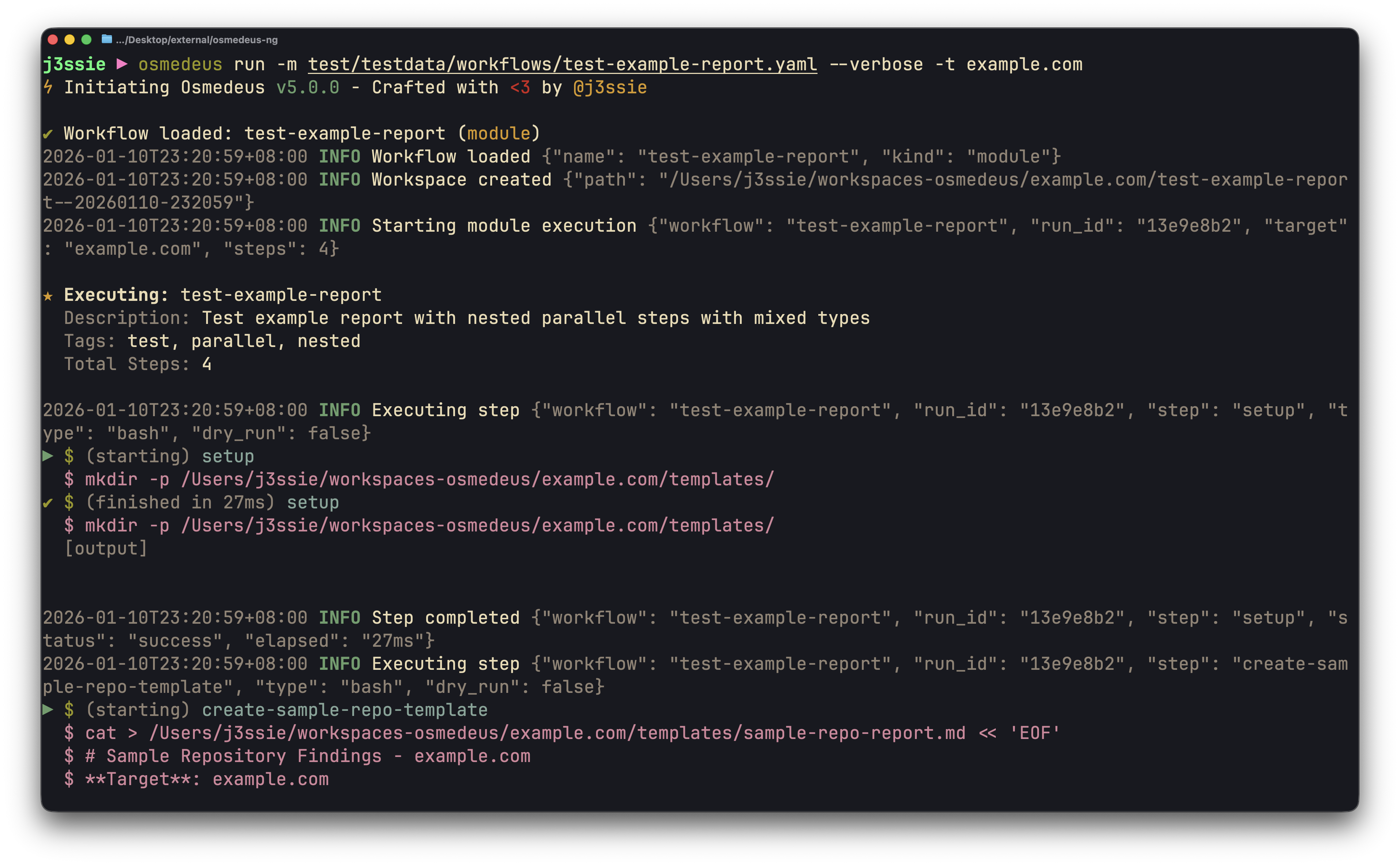 | 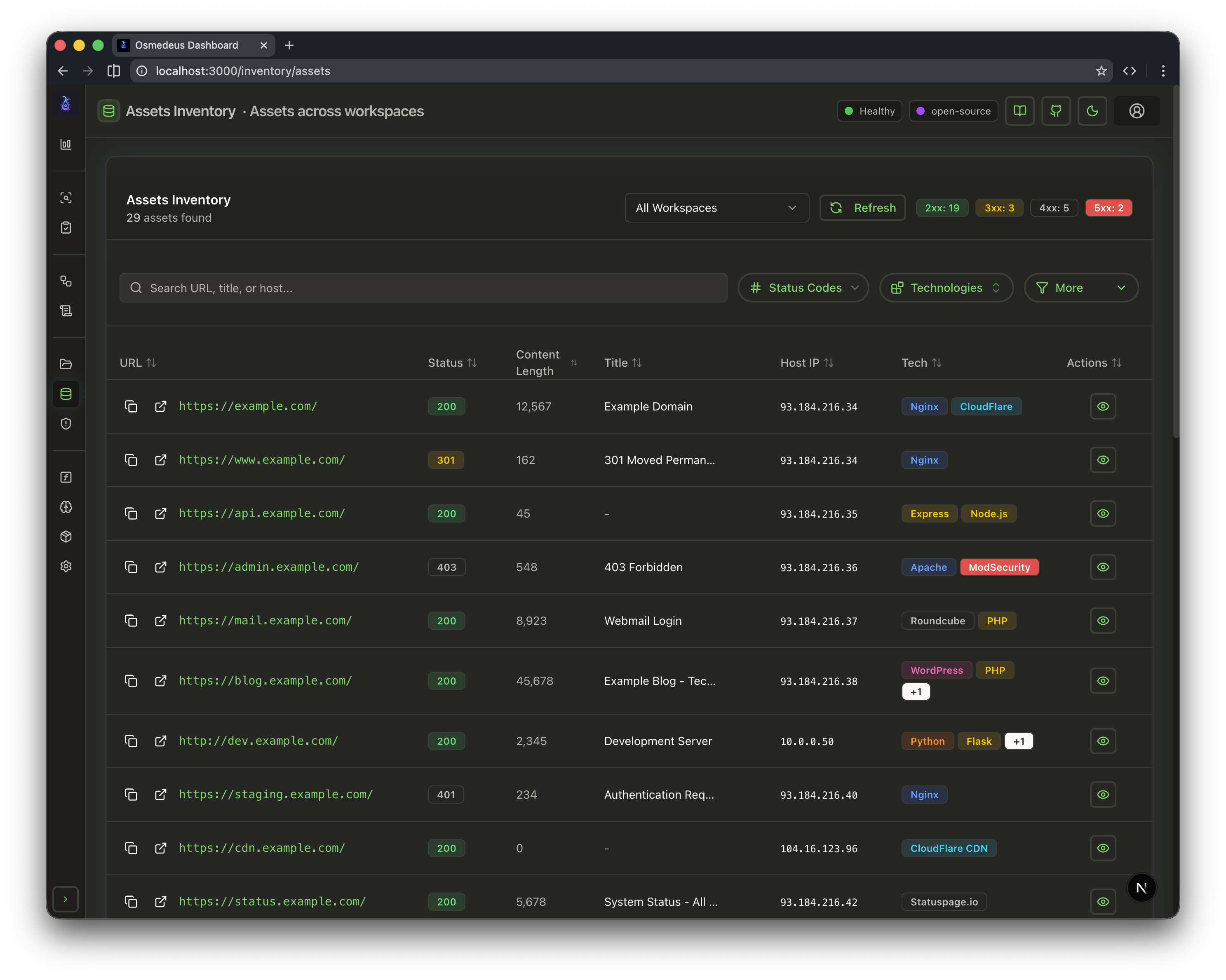 | 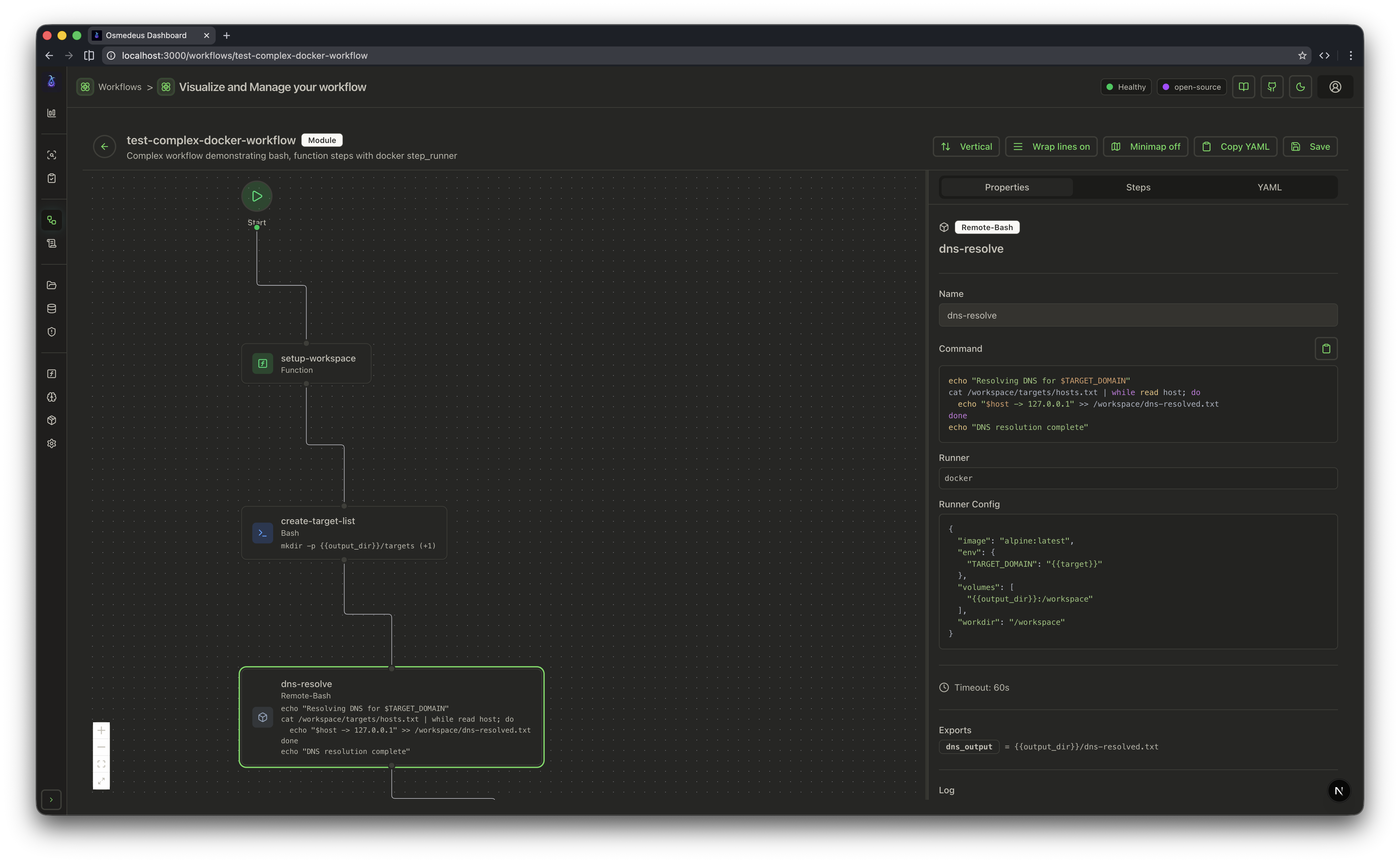 |
# Run a module workflow
osmedeus run -m recon -t example.com

# Run a flow workflow
osmedeus run -f general -t example.com

# Multiple targets with concurrency
osmedeus run -m recon -T targets.txt -c 5

# Dry-run mode (preview)
osmedeus run -f general -t example.com --dry-run

# Start API server
osmedeus serve

# List available workflows
osmedeus workflow list

# Query discovered assets
osmedeus assets -w example.com                          # List assets for workspace
osmedeus assets --stats                                 # Show unique technologies, sources, types
osmedeus assets --source httpx --type web --json        # Filter and output as JSON

# Query vulnerabilities, runs, and steps
osmedeus query vulns --severity high --workspace example.com
osmedeus query runs --status running
osmedeus query steps --run <run-uuid>

# Query database tables
osmedeus db list --table runs
osmedeus db list --table event_logs --search "nuclei"

# Evaluate utility functions
osmedeus func eval 'log_info("hello")'
osmedeus func eval -e 'http_get("https://example.com")' -T targets.txt -c 10

# Platform variables available in eval
osmedeus func eval 'log_info("OS: " + PlatformOS + ", Arch: " + PlatformArch)'

# Install from preset repositories
osmedeus install base --preset
osmedeus install base --preset --keep-setting   # preserve existing osm-settings.yaml
osmedeus install workflow --preset

# Exclude modules from flow execution
osmedeus run -f general -t example.com -x portscan
osmedeus run -f general -t example.com -X vuln    # Fuzzy exclude by substring

# Worker queue system
osmedeus worker queue new -f general -t example.com   # Queue for later
osmedeus worker queue run --concurrency 5              # Process queue

# Worker management
osmedeus worker status                          # Show workers
osmedeus worker eval -e 'ssh_exec("host", "whoami")'  # Eval with distributed hooks

# Run an ACP agent interactively
osmedeus agent "analyze this codebase"
osmedeus agent --agent codex "explain main.go"
osmedeus agent --list

# Cloud infrastructure management
osmedeus cloud create --instances 3                    # Provision cloud machines
osmedeus cloud setup 1.2.3.4 5.6.7.8                  # Setup existing machines
osmedeus cloud list                                    # List active infrastructure
osmedeus cloud run -f general -t example.com --instances 3

# Show all usage examples
osmedeus --usage-example# Show help
docker run --rm j3ssie/osmedeus:latest --help
# Run a scan
docker run --rm -v $(pwd)/output:/root/workspaces-osmedeus \
j3ssie/osmedeus:latest run -f general -t example.comFor more CLI usage and example commands, refer to the CLI Reference.
┌───────────────────────────────────────────────────────────────────────────┐
│                   Osmedeus Orchestration Engine                           │
├───────────────────────────────────────────────────────────────────────────┤
│  ENTRY POINTS                                                             │
│  ┌──────────┐  ┌──────────┐  ┌──────────┐  ┌─────────────┐                │
│  │   CLI    │  │ REST API │  │Scheduler │  │ Distributed │                │
│  └────┬─────┘  └────┬─────┘  └────┬─────┘  └─────┬───────┘                │
│       └─────────────┴─────────────┴──────────────┘                        │
│                              │                                            │
│                              ▼                                            │
│  ┌─────────────────────────────────────────────────────────────────────┐  │
│  │ CONFIG ──▶ PARSER ──▶ EXECUTOR ──▶ STEP DISPATCHER ──▶ RUNNER       │  │
│  │                          │                                          │  │
│  │  Step Executors: bash | function | parallel | foreach | remote-bash │  │
│  │                  http | llm | agent | agent-acp | SARIF/SAST       │  │
│  │  Hooks: pre_scan_steps → [main steps] → post_scan_steps             │  │
│  │                          │                                          │  │
│  │  Runners: HostRunner | DockerRunner | SSHRunner                     │  │
│  │  Queue: DB + Redis polling → dedup → concurrent execution           │  │
│  └─────────────────────────────────────────────────────────────────────┘  │
└───────────────────────────────────────────────────────────────────────────┘
For more information about the architecture, refer to the Architecture Documentation.
The high-level ambitious plan for the project, in order:
| # | Step | Status |
|---|---|---|
| 1 | Osmedeus Engine reforged with a next-generation architecture | ✅ |
| 2 | Flexible workflows and step types | ✅ |
| 3 | Event-driven architectural model and the different trigger event categories | ✅ |
| 4 | Beautiful UI for visualize results and workflow diagram | ✅ |
| 5 | Rewriting the workflow to adapt to new architecture and syntax | ✅ |
| 6 | Testing more utility functions like notifications | ✅ |
| 7 | SAST integration with SARIF parsing (Semgrep, Trivy, etc.) | ✅ |
| 8 | Cloud integration, which supports running the scan on the cloud provider. | ✅ |
| 9 | Generate diff reports showing new/removed/unchanged assets between runs. | ❌ |
| 10 | Adding step type from cloud provider that can be run via serverless | ❌ |
| N | Fancy features (to be discussed later) | ❌ |
| Topic | Link |
|---|---|
| Getting Started | docs.osmedeus.org/getting-started |
| CLI Usage & Examples | docs.osmedeus.org/getting-started/cli |
| Writing Workflows | docs.osmedeus.org/workflows/overview |
| Event-Driven Triggers | docs.osmedeus.org/advanced/event-driven |
| Deployment | docs.osmedeus.org/deployment |
| Architecture | docs.osmedeus.org/concepts/architecture |
| Development | docs.osmedeus.org/development and HACKING.md |
| Extending Osmedeus | docs.osmedeus.org/development/extending-osmedeus |
| Full Documentation | docs.osmedeus.org |
Osmedeus is designed to execute arbitrary code and commands from user supplied input via CLI, API, and workflow definitions. This flexibility is intentional and central to how the engine operates.
Please refer to the
Think twice before you:
- Run workflows downloaded from untrusted sources
- Execute commands or scans against targets you don't own or have permission to test
- Use workflows without reviewing their contents first
You are responsible for what you run. Always review workflow YAML files before execution, especially those obtained from third parties.
Osmedeus is made with ♥ by @j3ssie and it is released under the MIT license.