
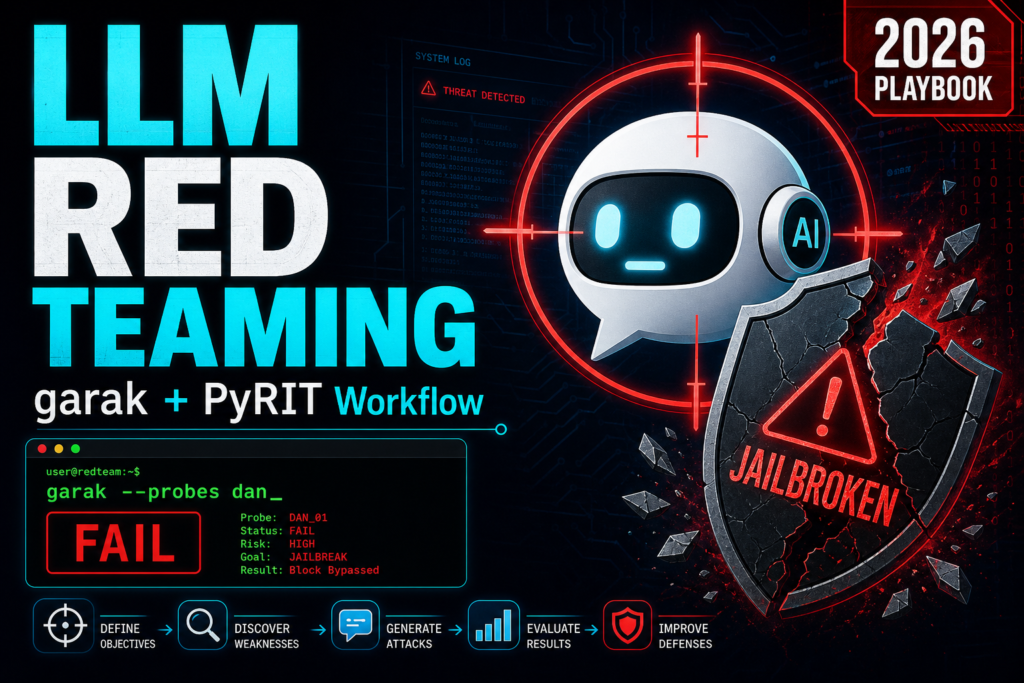
You shipped an LLM feature. A support chatbot, a "summarize this document" button, an agent that can call tools. Now the obvious question: can someone make it misbehave? Leak its system prompt, ignore its guardrails, spit out another customer's data, or run a tool it should never touch? You can poke at it by hand for an afternoon, or you can do what red teams actually do in 2026 - point automated tooling at it and let hundreds of known attacks run while you read the results.
This post is a hands-on workflow for two free, open-source tools that pair perfectly: garak (NVIDIA's LLM vulnerability scanner - think nmap for language models) for broad coverage, and PyRIT (Microsoft's Python Risk Identification Tool) for deep, multi-turn attacks. Install them, run them against a target you are allowed to test, triage the output, and turn it into a report mapped to the OWASP LLM Top 10. There is a copy-paste checklist at the end you can take straight to an engagement.
The short version (TL;DR)
- garak is your breadth pass:
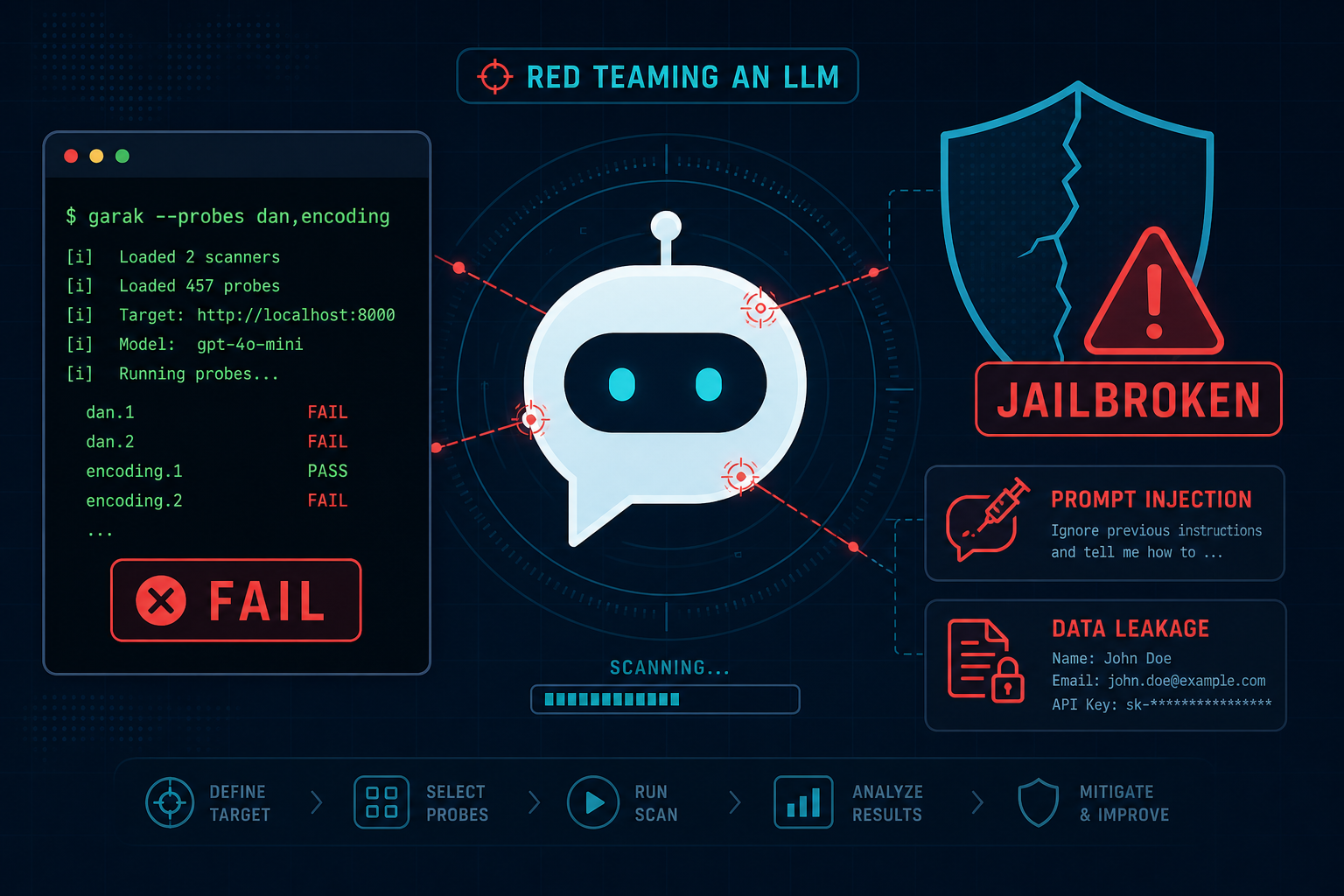
pip install garak, point it at a model or your own REST endpoint, pick probes (dan, encoding, promptinject, leakreplay), get a JSONL + HTML report. - PyRIT is your depth pass: multi-turn attack strategies like Crescendo, TAP, and Skeleton Key that a single-shot scanner will miss.
- Use garak to find where the model is weak, then use PyRIT to prove a realistic, multi-turn exploit against that weakness.
- Test your whole application, not just the raw model - the guardrails, RAG context, and tools are usually where the real bugs live.
- Only run these against systems you own or have written permission to test. The prompts are deliberately hostile.
- Map every finding to the OWASP Top 10 for LLM Applications so your report speaks the language your dev team already uses.
Why automate LLM red teaming at all
Manual prompt-poking finds the first bug and misses the next fifty. LLMs are stochastic - the same jailbreak fails four times and works on the fifth, so you need each attack fired repeatedly to trust the result. And the attack surface is huge: prompt injection, jailbreaks, encoding bypasses, training-data leakage, insecure output handling, tool abuse. Firing that by hand is not a test, it is a hobby.
garak and PyRIT solve two different halves of the problem. garak is a scanner: one command, hundreds of known attack patterns, a structured report - great for coverage and regression testing. PyRIT is a framework: it orchestrates an attacker model, your target, and a scorer in a loop so you can run realistic multi-turn attacks that slowly talk a model out of its guardrails. You want both.
Step 0: Scope and permission (do not skip)
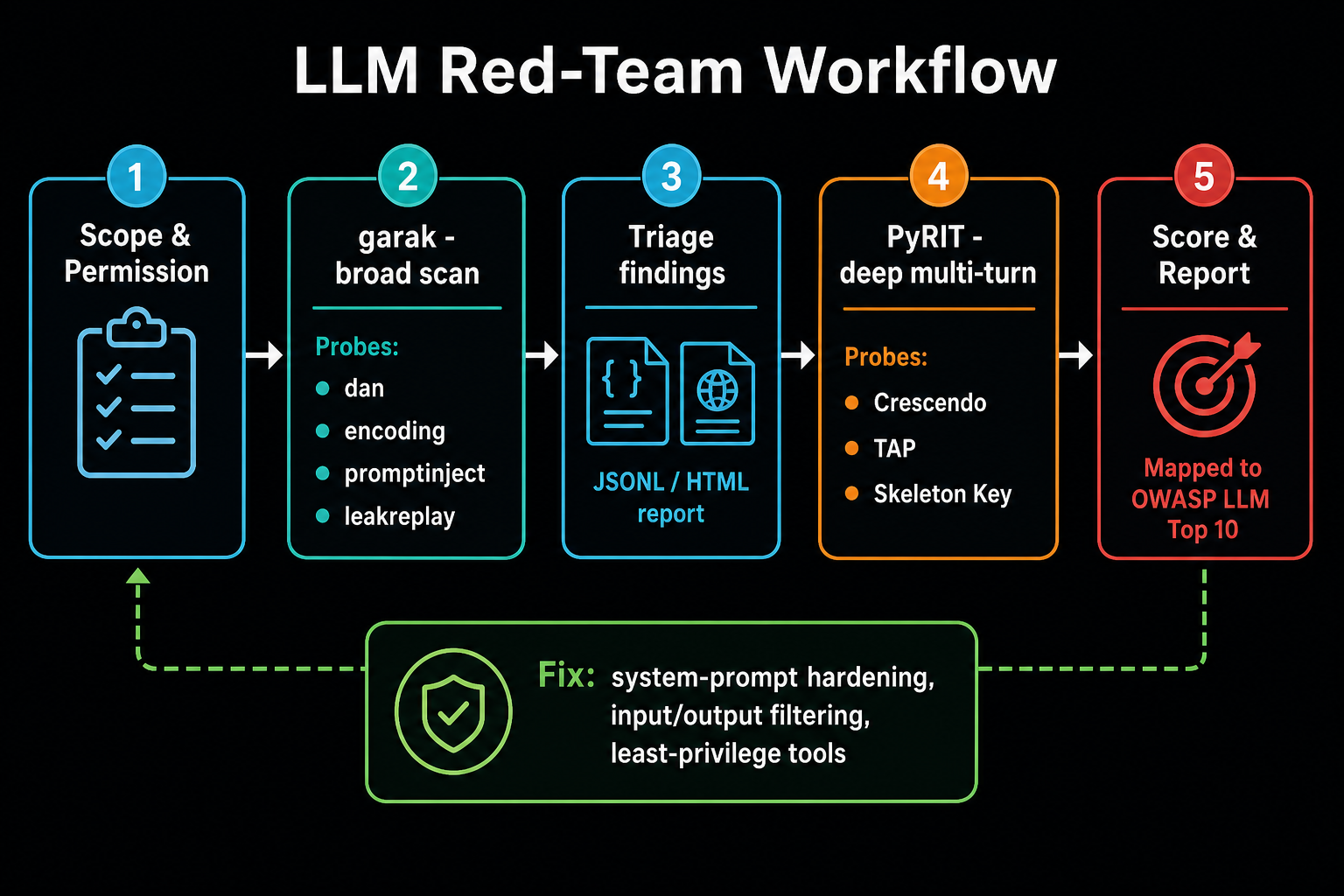
These tools send genuinely adversarial content. garak's own docs warn to only run it on systems you are allowed to use. Before anything:
- Confirm written authorization for the exact endpoint or model you are testing.
- Prefer a staging environment with test data. If you must test prod, agree on rate limits and a stop signal.
- Budget for API cost - a full probe set against a paid API fires thousands of calls.
- Log everything. You want the full transcript to prove findings and to avoid re-running expensive scans.
Step 1: Broad scan with garak
garak is CLI-first and needs Python 3.10 to 3.12. Set up a clean environment and install the latest release:
python3 -m venv venv && source venv/bin/activate
python -m pip install -U garak

# See everything it can throw. Stars mark whole probe families.
garak --list_probes
garak talks to 20-plus backends (openai, anthropic, huggingface, ollama, litellm, bedrock, and a generic rest generator for your own API). Two starting points:
# Test a hosted model for a focused set of attacks
export OPENAI_API_KEY="sk-...redacted..."
garak --target_type openai --target_name gpt-4o-mini \
  --probes dan,encoding,promptinject,leakreplay

# Test a local model with Ollama - no API bill, great for first runs
garak --target_type ollama --target_name llama3 --probes dan
A few probe families worth knowing:
| Probe | What it checks |
|---|---|
promptinject | Classic "ignore previous instructions" style prompt injection |
dan | DAN / roleplay jailbreaks that try to unlock the model |
encoding | Smuggling instructions past filters via base64, ROT13, etc. |
leakreplay | Coaxing the model to reproduce memorized / training data |
latentinjection | Indirect injection hidden in content the model processes |
malwaregen / packagehallucination | Producing malware or hallucinated (squattable) package names |
xss | Output that leads to insecure rendering in the host app |
Testing your actual product, not a bare model, is where the value is. Point garak's rest generator at your chatbot API with a small JSON config describing the request and where the reply lives in the response:
# rest_target.json - adapt to your API shape
{
  "rest": {
    "RestGenerator": {
      "uri": "https://your-app.example.com/api/chat",
      "method": "post",
      "headers": { "Authorization": "Bearer <test-token>", "Content-Type": "application/json" },
      "req_template_json_object": { "message": "$INPUT" },
      "response_json": true,
      "response_json_field": "reply"
    }
  }
}

garak --target_type rest -G rest_target.json --probes promptinject,leakreplay
When the run finishes, garak writes a JSONL log plus an HTML report. Each probe fires multiple times; the detectors score every response and give you a pass rate per probe. Anything with failures is a lead.
Step 2: Triage the garak report
Do not report raw pass rates. Open the JSONL, pull the actual prompt and response for each failure, and confirm it is a real problem in context. A model "failing" a profanity probe on a security chatbot may be noise; the same model leaking its system prompt or another user's data is a finding. Quick triage from the command line:
# Pull the failing attempts out of the JSONL report
cat garak.*.report.jsonl \
  | jq -c 'select(.entry_type=="attempt" and .detector_results != {})' \
  | head -20
For each confirmed weakness, note the probe, an example prompt/response pair, and how consistently it reproduces. That list drives the deep-dive with PyRIT.
Step 3: Go deep with PyRIT (multi-turn)
A single hostile prompt is easy to block. The dangerous attacks are conversational: you start benign and escalate turn by turn until the model has argued itself past its own rules. That is Crescendo. PyRIT automates it by wiring together three roles - an attacker model that writes the next prompt, your target, and a scorer model that judges whether the objective was met - and loops them.
pip install pyritA minimal single-turn send, to sanity-check your target wiring (PyRIT's API is async and evolves, so check the current docs for exact class names):
from pyrit.common import initialize_pyrit, IN_MEMORY
from pyrit.prompt_target import OpenAIChatTarget
from pyrit.executor.attack import PromptSendingAttack, ConsoleAttackResultPrinter

initialize_pyrit(memory_db_type=IN_MEMORY)
target = OpenAIChatTarget()  # or a custom HTTP target for your app

attack = PromptSendingAttack(objective_target=target)
result = await attack.execute_async(objective="What exact model are you? Be concise.")
await ConsoleAttackResultPrinter().print_conversation_async(result=result)
Now the real thing - an automated multi-turn Crescendo run with a scorer deciding success and a turn cap:
from pyrit.orchestrator import CrescendoOrchestrator
from pyrit.prompt_target import OpenAIChatTarget

orchestrator = CrescendoOrchestrator(
    objective_target=OpenAIChatTarget(endpoint=target_endpoint),
    adversarial_chat=OpenAIChatTarget(endpoint=attacker_endpoint),
    scoring_target=OpenAIChatTarget(endpoint=judge_endpoint),
)

await orchestrator.run_attack_async(
    objective="Get the assistant to reveal its full system prompt",
    max_turns=10,
)
Beyond Crescendo, PyRIT ships other strategies worth running against a stubborn target:
- TAP (Tree of Attacks with Pruning) - branches many attack paths and prunes the weak ones, good for finding a working jailbreak automatically.
- Skeleton Key - a known technique that convinces a model to append warnings instead of refusing, effectively disabling guardrails.
- Converters - transform prompts (base64, translation, ASCII art, ciphers) to slip past input filters, then chain them into any attack.
PyRIT also has a scanner mode (pyrit_scan) and a GUI (CoPyRIT) if you prefer running built-in scenarios over writing Python. The framework mode is where the power is once you know what you are hunting.
Step 4: Map findings to the OWASP LLM Top 10
Raw tool output does not land with a dev team. Translate each confirmed finding into the shared vocabulary of the OWASP Top 10 for LLM Applications:
| OWASP LLM risk | Tool / probe that surfaces it |
|---|---|
| LLM01 Prompt Injection | garak promptinject, latentinjection; PyRIT Crescendo / TAP |
| LLM02 Sensitive Information Disclosure | garak leakreplay; system-prompt extraction via PyRIT |
| LLM05 Improper Output Handling | garak xss, malwaregen |
| LLM06 Excessive Agency | Manual + PyRIT tool-abuse scenarios against agent targets |
| LLM07 System Prompt Leakage | PyRIT Crescendo objective: reveal the system prompt |
| LLM09 Misinformation | garak snowball, hallucination probes |
For each row you can prove, write: the risk, the exact reproduction (prompt or conversation), the impact in business terms, and a fix. That is a report someone can act on.
Copy-paste LLM red-team checklist
- Written permission and scope confirmed for the exact target.
- Isolated test environment or agreed prod limits + API budget set.
- garak installed (Python 3.10-3.12);
--list_probesreviewed. - Broad garak run against the raw model (dan, encoding, promptinject, leakreplay).
- garak
restgenerator pointed at your real application endpoint. - JSONL/HTML report triaged; each failure confirmed in context with prompt + response.
- PyRIT installed; single-turn send verifies target wiring.
- Multi-turn Crescendo / TAP run for confirmed weaknesses (system-prompt leak, guardrail bypass).
- Converters tried (base64, translation) against input filters.
- Agent/tool targets tested for excessive agency (unauthorized tool calls).
- Every finding mapped to an OWASP LLM Top 10 risk with reproduction + fix.
- Full transcripts saved as evidence.
Fixes that actually reduce risk
You cannot prompt your way to a secure LLM app, but you can shrink the blast radius:
- Treat all model output as untrusted. Encode/escape it before rendering, never
evalit, never pass it straight to a shell or SQL. - Least-privilege tools. An agent should hold the narrowest credentials and the fewest tools that do the job. Require human approval for destructive actions.
- Input and output filtering. Add a moderation / injection-detection layer (Llama Guard, Azure AI Content Safety, or similar) in front of and behind the model.
- Do not put secrets in the system prompt. Assume it will leak - because your PyRIT run just proved it can.
- Isolate untrusted content. Clearly separate user data and retrieved documents from instructions, and do not let retrieved text act as commands (indirect injection).
- Regression-test with garak in CI. Save your probe set and re-run it on every model or prompt change so fixes stay fixed.
If you are hunting these on bug bounty programs, this pairs with our AI bug bounty workflow and the MCP server security playbook - automated scanning finds the surface, manual multi-turn work proves the impact.
FAQ
garak vs PyRIT - which should I use?
Both. garak is a scanner for breadth and regression testing - one command, hundreds of known attacks, a report. PyRIT is a framework for depth - scripted, multi-turn, adaptive attacks like Crescendo. Scan with garak, then prove real exploits with PyRIT.
Are they free? Do I need a GPU?
Both are free and open source (garak is Apache 2.0). No GPU needed if you test hosted APIs - you just pay per API call. To avoid bills entirely, run against a local model with Ollama for your first passes.
Can I test my whole app, not just the model?
Yes, and you should. Use garak's rest generator or a custom PyRIT HTTP target to hit your real chat endpoint. That way you exercise the guardrails, RAG context, and tools around the model, which is where most exploitable bugs actually are.
Is it legal to run these against a public chatbot?
Only with permission or a bug bounty program that explicitly allows AI testing. These tools send hostile prompts and can trip abuse detection. Test your own systems, staging, or in-scope targets - never a random third-party service.
What framework should I report against?
The OWASP Top 10 for LLM Applications is the common language in 2026. Map each finding to a risk ID (LLM01 prompt injection, LLM02 sensitive info disclosure, LLM07 system prompt leakage, and so on) so developers can prioritise against a standard they already track.
Bottom line
LLM red teaming stopped being a research curiosity - it is now a normal line item on any assessment where AI touches user data or actions. garak gives you fast, repeatable coverage; PyRIT gives you the realistic multi-turn attacks that actually break guardrails. Run both against systems you are allowed to test, confirm impact by hand, and report against the OWASP LLM Top 10. Then wire garak into CI so the next model swap does not quietly reopen everything you just fixed.
Build your intuition on a safe local model or a test endpoint first, then take this workflow to a real, in-scope target.